

Last updated:
Reviewed by: Paul Okhrem
Elogic Commerce / Replatforming
WooCommerce to BigCommerce Migration Services
Replace plugin-dependent workflows with a mapped BigCommerce implementation. Define the catalog, customer and order transfer, app replacements and launch checks before moving.

A short brief is enough to start. Detailed specifications can follow.
Is this the right next step?
A good fit when
- You want a managed commerce platform with less WordPress maintenance.
- B2B requirements need a clear platform and integration plan.
- A migration tool alone cannot reproduce important plugin workflows.
2009 Year founded
500+ Projects delivered company-wide
200+ Ecommerce experts company-wide
NPS 70 From post-launch client surveys
The service at a glance
WooCommerce to BigCommerce Migration Services by Elogic Commerce
Elogic Commerce migrates WooCommerce stores to BigCommerce by mapping store data, replacing required WordPress functionality and rebuilding connected workflows. The project separates data transfer from storefront development and business-system integration. A rehearsal verifies what the target supports before the final cutover is approved.
Elogic Commerce’s DMI case study case demonstrates BigCommerce B2B Edition and Microsoft Dynamics NAV integration. It does not identify WooCommerce as the source platform. Treat this as destination-platform experience and request a route-matched reference during scoping.
If BigCommerce has not yet been selected, use ecommerce discovery to validate the destination before planning the transfer.
Choose the right starting point
Map plugin behavior before importing records
Inventory WooCommerce plugins and custom checkout behavior, then classify each requirement as native configuration, an app or custom integration. Validate variations, tax and shipping rules with representative orders before accepting the import.
From requirements to acceptance
What transfers, what changes
Scope decisions and checks to agree for your project
| Migration area | Work to scope | Acceptance check |
|---|---|---|
| WooCommerce product attributes | Choose BigCommerce options, variants or custom fields according to their use. | Representative products remain purchasable with correct selections. |
| Plugin functionality | Replace behavior through an agreed target capability. | The business workflow passes its acceptance test. |
| WordPress URLs and content | Create a content and redirect map. | Important landing pages reach the closest relevant destination. |
| Subscriptions and stored payments | Review the source extension and payment provider. | The agreed continuity or customer-action plan is verified. |
| Plugin-defined product data | Map retained WooCommerce fields and product options to the agreed BigCommerce model. | Representative complex products can be merchandised and ordered correctly. |
Turn the scope into a next step
Start with your source and target platforms
Share the current store, the destination you are considering and any fixed launch constraint.
Elogic Commerce in practice
Evidence from delivered work
See the work, the platform and the reported result in each published case. DMI demonstrates the destination platform; Glassmania demonstrates leaving WooCommerce for a different destination.
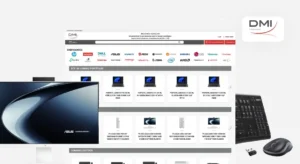
DMI
Elogic Commerce implemented BigCommerce for a 150,000-product catalog, adding an ERP-connected customer portal and live pricing and stock validation at checkout.
The public case substantiates BigCommerce implementation and integration. It does not identify the source platform as Adobe Commerce, Shopify or WooCommerce.
BigCommerce B2B Edition with Microsoft Dynamics NAV
45%
reduction in manual order-entry workload
64%
of customers actively using the self-service portal

Glassmania
Elogic Commerce migrated the store, implemented a product configurator and built a custom Magic ERP connector where the ERP could not accept external API calls. The storefront design was created by Dops.Digital.
This is direct source-to-destination migration evidence. The case does not publish a measured conversion uplift; its timeline is an example, not a standard quote.
WooCommerce / WordPress to Magento Commerce Cloud
6 months
published implementation period
Discuss a similar requirement
Start with your source and target platforms
Share the current store, the destination you are considering and any fixed launch constraint.
See the inputs used for detailed scoping
Prepare an inventory of WooCommerce plugins, custom post data, subscriptions, loyalty rules and the ERP interfaces that BigCommerce must support.
Share what you know now. You can add technical details during scoping.
Scope
What the migration covers
The final scope is agreed around your platform, priorities and operating needs.
01
Plugin-to-capability review
List the behavior provided by each WooCommerce plugin. Decide which functions become native BigCommerce features, apps, custom integrations or retired scope.
02
Catalog and content mapping
Review variable products, attributes, categories, media and WordPress content. Define the target model before importing a representative sample.
03
Customer and order continuity
Map account records and historical orders. Confirm credential, subscription and payment-token handling separately rather than assuming those transfer with a CSV.
04
Storefront and operations
Rebuild the required templates, payment configuration, shipping rules and ERP connections. Test how the complete buying journey operates on BigCommerce.
Make the work reviewable
What you receive
01 / DELIVERABLE
Plugin replacement matrix
02 / DELIVERABLE
Catalog and customer mapping
03 / DELIVERABLE
Migration rehearsal and reconciliation
04 / DELIVERABLE
SEO, cutover and rollback plan
Agree the handover before work starts
Inventory plugin-created behavior and data before estimating the move. Agree retained records, redirect mappings, integration owners and how orders placed during cutover will be reconciled.
Scope, investment and delivery
How we make the work concrete
01
Start with the right inputs
Prepare an inventory of WooCommerce plugins, custom post data, subscriptions, loyalty rules and the ERP interfaces that BigCommerce must support.
02
Define the scope and estimate
The estimate separates data preparation, feature replacement, storefront work, integrations, test migrations and cutover support. Data volume alone does not capture the work. Agree recurring platform, app and support costs alongside implementation.
03
Agree how to accept the work
Rehearse with representative records and reconcile products, customers and order totals. Validate account access, pricing, taxes, payments and fulfillment, then check redirects and analytics. Define the final synchronization, launch criteria and recovery responsibilities before cutover.
The company behind the work
Relevant credentials. Reviewable evidence.
Discuss the proposed team, project responsibilities and applicable controls before the engagement starts.
Certified BigCommerce Partner
Company partner status; separate from the scope and results of individual client projects.
Security and delivery governance
Elogic Commerce’s risk register describes delivery controls and evidence available to procurement teams. Request the applicable documents and confirm their scope for the proposed engagement.
Your questions, answered
No. Plugins are software written for the source platform. Elogic Commerce maps the behavior you need and selects a supported BigCommerce feature, app or custom implementation for each requirement.
Evaluate account structures, pricing, quotes, approvals and ERP dependencies against the relevant BigCommerce offering. The fit assessment should precede the migration commitment.
Decide which content remains in WordPress and which belongs in the new storefront. Map the URLs and navigation between them, then include content ownership and redirect checks in the release plan.
The scope can include these records, subject to source access and target mapping. Customer credentials, subscriptions and stored payment arrangements need separate review.
Data preparation, plugin replacement, storefront work, integrations, testing and cutover. Record count matters, but required business behavior and data quality often drive more effort.
WooCommerce to BigCommerce Migration Services Near Your Market
Elogic Commerce delivers WooCommerce to BigCommerce Migration Services for clients in the United States, the United Kingdom and Europe. Teams cover European and US business hours from our offices.
Plan your WooCommerce to BigCommerce move
Share the current store, the destination you are considering and any fixed launch constraint. We can clarify platform fit, migration dependencies and the information needed for a proposal. No detailed specification needed for the first conversation.


Let’s talk
Send your requirements. We reply within one working day with a fit assessment and next steps.