


Get a summary in:
 ChatGPT
  Perplexity
  Claude
  Google AI Mode
  Grok
Grok Best AI Chatbot Platform for Ecommerce in 2026
Summary
Key takeaways
-
In 2026, fast answers are “baseline” in ecommerce — the real decision is which AI chatbot platform you’ll run across channels and your support stack.
-
Chatbot platforms win over DIY because they ship prebuilt ecommerce flows, no-code editing, and native integrations (Shopify, WooCommerce, Magento) so teams can launch faster.
-
Non-negotiables for modern platforms include: no-code + scalability, omnichannel support, store-data integrations, outcome analytics, guardrails, and clean human handoff.
-
Omnichannel matters because customers move across touchpoints; good platforms keep context consistent across web chat and messengers.
-
The most valuable chatbot automations cover order tracking, returns/exchanges, product discovery, checkout rescue, and support routing.
-
Analytics should connect to business outcomes (deflection, handoff, assisted revenue, drop-offs, CSAT), not just “chat volume.”
-
Guardrails are essential for brand consistency and safety around refunds, account data, and personal data.
-
Platform choice should follow your goal: support-heavy teams prioritize automation depth and handoffs; growth teams prioritize discovery, personalization, and conversion tracking.
When this applies
Use this when you need a platform (not a one-off bot) that can run across web + messaging channels, integrate with catalog/order data, and reduce support load while protecting conversion. It’s especially relevant if your team needs no-code control, measurable ROI, and reliable escalation workflows.
When this does not apply
This is less relevant if you have very low volume, a single-channel support setup, or you’re not ready to connect the bot to real store data and maintain it. If the bot can’t access accurate catalog/inventory/order info—or you can’t support ongoing tuning—results will be weak or risky.
Checklist
-
Decide the primary objective: support deflection, conversion lift, or both.
-
List the channels you must cover (site chat + Instagram/Messenger/WhatsApp + email/SMS if needed).
-
Confirm the platform has no-code editing so non-engineers can update flows quickly.
-
Validate scalability signals: permissions, versioning, and testing environments.
-
Require native integrations with your store platform (Shopify/WooCommerce/Magento).
-
Ensure it can securely access real-time store data (catalog, inventory, orders) for accurate answers.
-
Check for outcome analytics: deflection, handoff, assisted conversions/revenue, drop-offs, CSAT signals.
-
Confirm guardrails: tone/brand control, approved sources, escalation rules, and safety around PII/refunds.
-
Validate human handoff: full conversation history + routing rules to the right agent/team.
-
Map the first workflows you’ll automate (tracking, returns, discovery, checkout rescue, routing).
-
Define success metrics before launch (time to first response, resolution/deflection, assisted revenue).
-
Review pricing model for scale risk (e.g., per resolved conversation vs message limits vs quote-based).
-
Run a staging/limited rollout to validate accuracy, guardrails, and escalation paths.
-
Set an ops cadence: weekly transcript review + intent cleanup + policy updates. (Inference based on the platform-maintenance need described.)
-
Re-evaluate after 30–60 days and expand only if metrics and handoffs are stable.
Common pitfalls
-
Choosing a tool that can’t integrate with real store data, so answers become generic or wrong.
-
Buying “dashboards” instead of insight — tracking activity rather than deflection and assisted revenue.
-
Weak guardrails, leading to brand drift or unsafe handling of refunds/PII/account issues.
-
Poor handoff design that turns automation into a dead-end and increases support work.
-
Picking a platform that requires engineers for every change, so the bot goes stale during promos/policy changes.
-
Underestimating omnichannel reality and maintaining inconsistent bots per channel.
-
Ignoring scale pricing mechanics until volume grows and costs spike.
In 2026, ecommerce doesn’t leave much room for “we’ll reply tomorrow.” A dedicated AI chatbot has become part of the baseline experience. The only real question now is which ecommerce chatbot platform you’ll use to build and run it across your store and channels.
This guide makes that decision easier. You’ll get a list of features that matter for day-to-day ecommerce workflows, a clear breakdown of the best platforms for Shopify, WooCommerce, and Magento, and specific metrics to measure impact without guesswork.
Why Every eCommerce Brand Needs an AI Chatbot Platform
In 2026, ecommerce shoppers expect answers right away. They don’t want to dig through FAQs, wait for email replies, or guess which product is the right fit. That shift is a big reason AI chat has become common across online stores. It helps customers move from question to checkout faster, and it takes pressure off support teams by handling the predictable stuff.
Of course, you can build an ecommerce chatbot on your own. But it’s rarely quick. Someone has to pick the tech stack, connect it to your catalog and order data, create guardrails so it doesn’t go off-script, test it across real scenarios, and keep improving it once customers start using it. That’s a lot to take on unless you already have AI expertise in-house.
Luckily, DIY isn’t the only path. As chatbot adoption climbs, the ecommerce chatbot platform market is growing fast. Industry forecasts suggest the SaaS category could expand from roughly $6B today to more than $60B by 2035, driven by demand for easier setup and better results.
That’s why many brands choose a chatbot platform for online stores instead. A strong option in the best AI chatbot platform for ecommerce category typically gives you:
- Prebuilt ecommerce flows for the most common sales and support questions, so you can launch in days, not weeks
- A no-code chatbot builder that ecommerce teams can update themselves, without waiting on developers
- Native integrations for major platforms, including AI chatbot integration for Shopify, AI chatbot for WooCommerce, and AI chatbot for Magento stores
- Omni-channel chatbot platform support, so customers can reach you on web chat, social, and messaging apps
- Seamless AI chatbot personalization that pulls from real product, customer, and order data
- Chatbot analytics and reporting to measure conversions, deflection rate, and where shoppers get stuck
- Ascalable chatbot platform built to handle peak traffic without slowing down or crashing
For most ecommerce teams, it’s the quickest path to smarter automation without adding new headaches to the workflow.
Top Features of Leading Chatbot Platforms in 2026
The AI ecommerce platform tools market is crowded, and the feature sets vary a lot. Some tools are built for simple FAQ automation. Others are closer to full ecommerce AI automation platforms with deep integrations and reporting.
To reap the benefits of these tools, you need to choose based on your store’s workflows and constraints.
Even so, a few core features are non-negotiable for almost any ecommerce business.
No-code builders and scalability
If your team can’t update the bot without engineering help, it won’t stay current for long. Product launches, policy changes, promos, and seasonal FAQs move too quickly for that. A no-code builder lets marketing or support make changes on the fly.
Scalability matters just as much. The platform should handle growth in traffic, product count, languages, and regions without forcing a rebuild later. Features like permissions, versioning, and testing environments are strong signals the tool was designed for real operations, not demos.
Integration across channels
Omnichannel shopping is the default now. Around 73% of shoppers use more than one channel during the buying journey, bouncing between your site, social, and email as they compare, ask questions, and make up their mind. These customers also tend to be more valuable: they spend about 30% more than single-channel shoppers and have roughly 30% higher lifetime value.
That’s exactly why your chatbot can’t live in one place.
A strong omni-channel chatbot platform lets you support the same customer across touchpoints without losing context or giving different answers depending on where they asked. It keeps the experience consistent, and it keeps your team from maintaining five separate versions of the same bot.
Channels most ecommerce teams cover:
- Website chat
- Instagram, Facebook Messenger, WhatsApp
- Email and SMS
- Live chat or helpdesk handoff
Ecommerce-ready integrations with store data
A chatbot can’t be useful if it can’t pull accurate answers. That requires direct access to your catalog, inventory, and order information.
Strong AI ecommerce platform tools connect cleanly to Shopify, WooCommerce, or Magento and can securely reference real-time data. This is what enables practical experiences like order lookups, delivery estimates, and product recommendations based on what’s actually available.
Analytics that connect to outcomes
Dashboards are easy. Insight is harder. Look for chatbot analytics and reporting that helps you understand what the bot solved, what it escalated, and where customers drop off. You want to measure business impact, not just activity.
Ideally, to measure business impact, not just activity, your ecommerce automation software should allow tracking:
- Deflection rate and handoff rate
- Assisted conversions and revenue
- Top intents and unresolved questions
- Customer satisfaction signals
Guardrails, compliance, and brand control
AI can drift if you let it. Good platforms give you controls over tone, approved sources, and escalation rules. That matters for brand consistency, but also for safety—especially when the conversation touches refunds, account details, or anything involving personal data.
Human handoff and internal workflows
Even the best bot needs a clean exit when the issue is complex. Look for fast handoff to an agent with full conversation history, plus routing rules so the right person gets involved. That’s what keeps automation from turning into a customer dead-end and helps the bot support your team instead of creating more work.
Comparing Popular Chatbot Solutions for Shopify, WooCommerce, and Magento
Once you know what “good” looks like, the next challenge is picking the platform that fits your store’s workflows. Since the AI chatbot platform SaaS market is expanding quickly, more tools create more feature overlap, often resulting in even more confusion.
To save you the hours of tab-hoarding and demo fatigue, here’s a practical chatbot platform comparison for ecommerce platforms like Shopify, WooCommerce, and Magento.
Gorgias
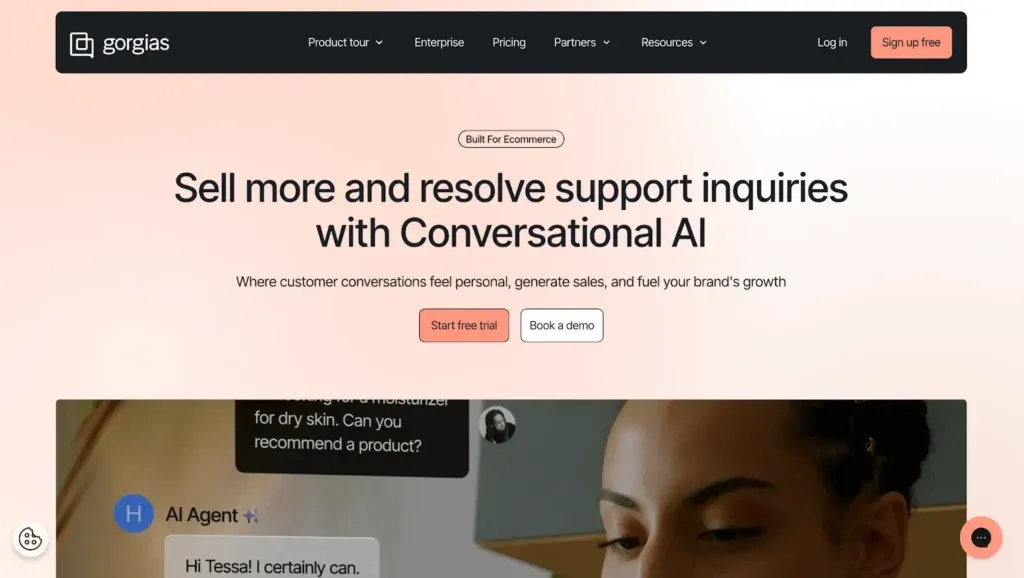
Gorgias is a helpdesk-first platform built for ecommerce teams that want one place to handle support, automate repetitive questions, and keep customer context close (orders, refunds, loyalty status).
Core features:
- Unified inbox
- Automation rules/macros
- AI-driven responses
- Ecommerce integrations
- Live chat and handoff
- Reporting
| Pros | Cons |
|---|---|
| Keeps support fast with strong workflow automation | Costs climb quickly as volume scales |
| Easy for teams already running high ticket volume | Automation pricing is based on resolved interactions |
| Solid reporting for support operations | Can feel complex for small stores |
| Strong integrations across ecommerce stacks | Some AI features require extra setup to perform well |
Pricing (billed annually):
- Basic from $77/mo
- Pro from $471/mo
- Advanced from $1,227/mo
Pay-per-resolved conversation ($0.90) applies.
Amio
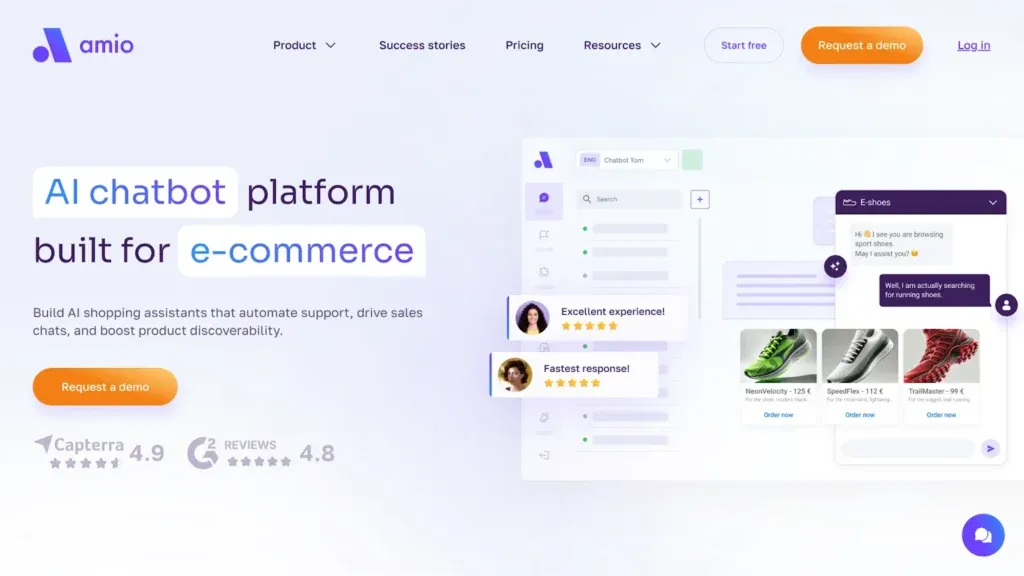
Amio leans into structured automation and conversational design. It’s a good fit for teams that want more control over how the bot behaves, plus advanced routing, proactive outreach, and integrations.
Core features:
- Conversational designer
- AI/ChatGPT layer (higher plans)
- Analytics
- Web chat and messengers
- Helpdesk integrations
- API/webhooks
| Pros | Cons |
|---|---|
| Strong control over conversation flows | Pricing scales with automated message volume |
| Good option for multi-channel support | Requires content prep to shine |
| Robust integrations and automation tooling | Higher tiers may be overkill for small catalogs |
| Scales well for larger support orgs | Some advanced value sits behind higher plans |
Pricing (billed annually):
- Starter from €120/mo (400 messages)
- AI Expert from €280/mo (1,000 messages)
- AI Scale from €2,360/mo (unlimited messages)
Zowie
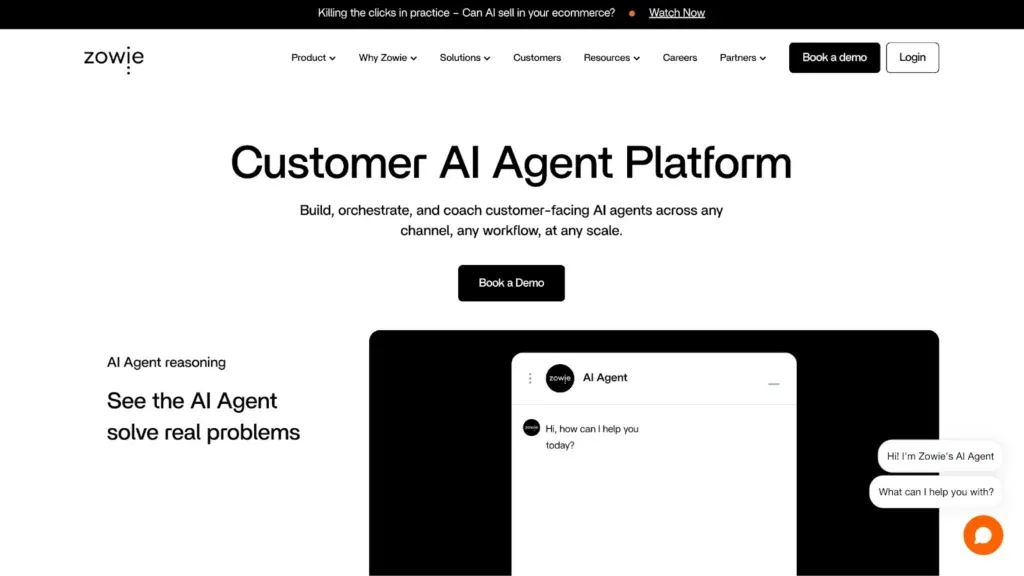
Zowie is aimed at ecommerce support automation with an AI-first focus and deeper optimization help. Pricing is quote-based, and it’s typically considered by mid-market to enterprise teams.
Core features:
- AI support automation
- Intent handling
- Integrations
- Workflow routing
- Performance reporting
| Pros | Cons |
|---|---|
| Designed for high-volume ecommerce support | No public pricing, requires sales process |
| Strong focus on automation outcomes | Harder to budget without a quote |
| Good fit for mature support teams | Setup depends on clean data and clear intents |
| Often paired with optimization support | May be too heavy for smaller stores |
Pricing isn’t publicly available on the Zowie website, so you’d have to contact their sales reps to get a quote.
Tidio
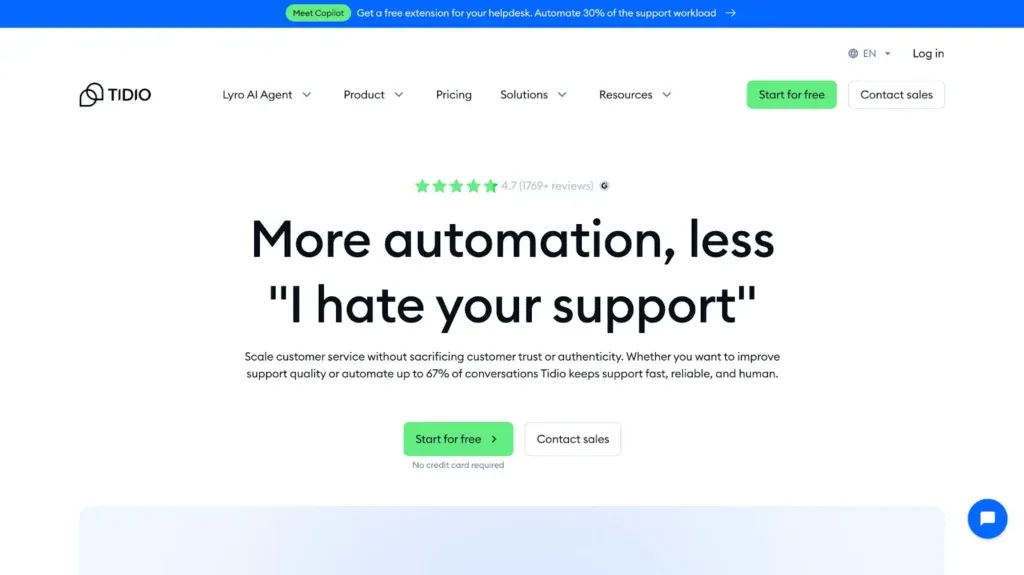
Tidio is a popular choice for smaller and mid-size stores that want live chat, AI agent support, and an approachable setup. It’s often the easiest entry point for teams new to automation.
Core features:
- Live chat and ticketing
- Lyro AI agent
- Flows/automation
- Analytics
- Team permissions (available on higher plans)
| Pros | Cons |
|---|---|
| Quick to launch with minimal overhead | Advanced workflows may feel limited |
| Budget-friendly starting tiers | Enterprise-grade reporting requires higher plans |
| Solid AI add-on for common questions | Costs jump significantly for larger teams |
| Good for teams without dedicated support ops | Some customization has plan constraints |
Pricing (billed annually):
- Starter from $24.17/mo
- Growth from $49.17/mo
- Plus from $749/mo
How AI Chatbots Automate Sales and Support
Once you’ve seen what the leading platforms can do, the ROI question gets a lot simpler. A well-implemented chatbot takes repetitive work off your team and keeps shoppers moving when they’re one unanswered question away from leaving.
Here are the ecommerce workflows AI chatbots handle best:
- Order tracking and delivery updates pulled from real order data, without a support ticket
- Returns and exchanges: Policy answers, eligibility checks, and step-by-step return initiation
- Product discovery and recommendations based on needs, budget, size, or use case
- Checkout rescue when shoppers ask about shipping, payment options, or discount codes
- First-time buyer reassurance around fit, quality, guarantees, and delivery expectations
- Back-in-stock and price-drop alerts that bring shoppers back at the right moment
- Cross-sell and upsell prompts tied to what’s in the cart or what they just bought
- Support triage and routing: Collecting context, tagging issues, and handing off to the right agent
Handled well, these automations reduce ticket volume, protect after-hours revenue, and free your team to focus on the messy cases where humans actually matter.
Measuring Chatbot Effectiveness with Analytics
Automation only counts if it moves the numbers. After you roll out an ecommerce chatbot, you should be able to answer two questions quickly: what did it take off your team’s plate, and what did it add to revenue or retention.
Track a short list of metrics tied to real outcomes:
- Deflection (or resolution) rate: % of chats handled without an agent
- Handoff rate: Where the bot failed and a human stepped in
- Time to first response: How fast customers got an answer
- Assisted conversions/revenue: Sales that happened after a chat
- Drop-off points: Where users abandon the conversation or checkout flow
- Customer satisfaction signals: CSAT, thumbs up/down, or sentiment
Most chatbot platforms for online stores surface these metrics in built-in dashboards, often with filters by channel, intent, and time period.
Choosing the Right Platform for Your Store
AI chatbots are no longer an “experimental” add-on for ecommerce. Customers expect fast answers, help across channels, and a smooth path to purchase. In 2026, the real decision isn’t whether you need a chatbot, but rather which platform you trust to run it across your store, support stack, and messaging channels without creating extra work.
Pick based on your priorities. High support volume? Focus on automation depth, clean handoffs, and solid reporting. Growth-focused? Look for product discovery, personalization, and conversion tracking. Then check the practical stuff: integrations with your store and tools, ease of maintenance for your team, scalability for peak traffic, and pricing that won’t surprise you later.
If you want help narrowing the options, Elogic can step in. We’ve helped ecommerce teams implement AI chatbots that fit their workflows and drive measurable results. Reach out, and we’ll help you choose the right platform and build a bot that earns its place in your stack.

Get in Touch
Looking for a partner to grow your business? We are the right company to bring your webstore to success.